BACnet Integration: Gateways, Routers, Loggers, Tools
Intro to BACnet
BACnet is the open standard for Building Automation and Control (ASHRAE/ANSI/ISO 16484-5). It’s the most widely used protocol in BAS for HVAC, lighting, access, fire, and energy systems.
BACnet works across Ethernet/IP (UDP), MS/TP (EIA-485), and other media. Core services like Who-Is/I-Am and Read/Write-Property enable discovery and data sharing between devices from different vendors.

How BACnet Integration Works
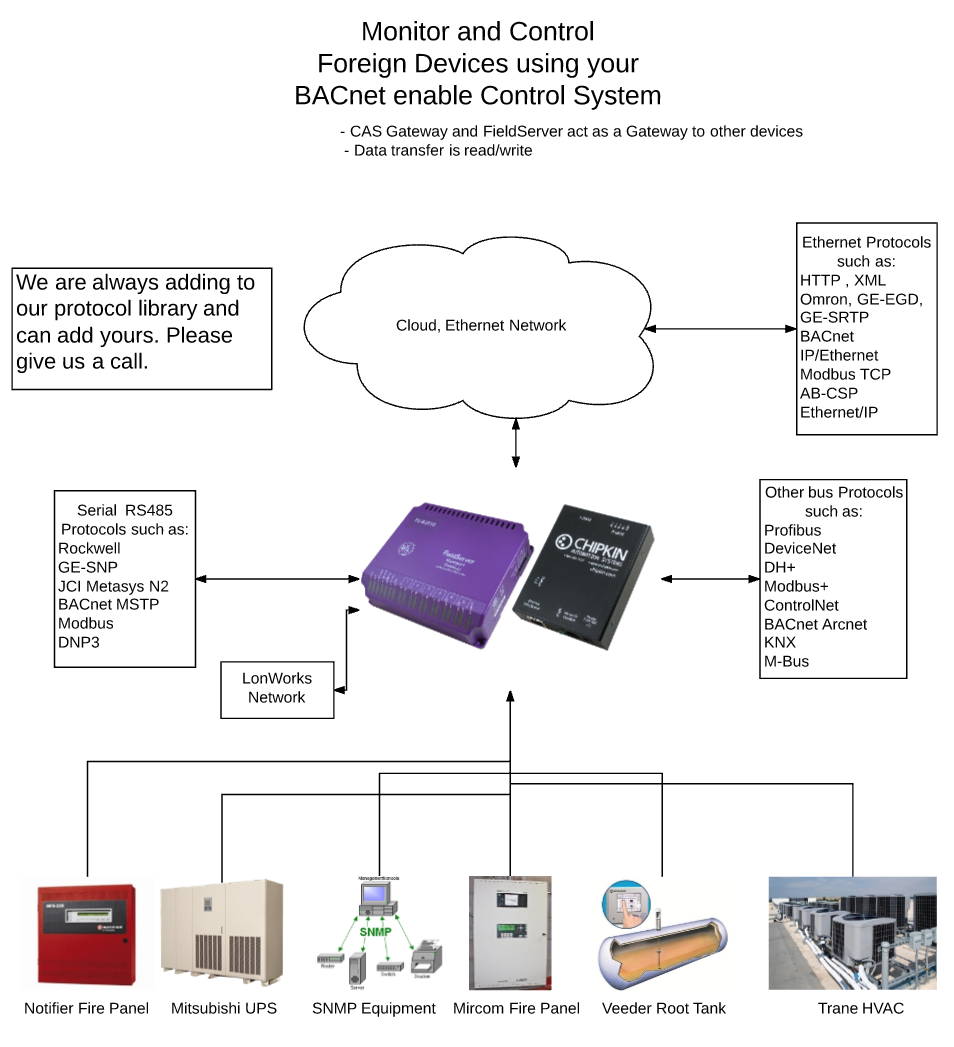
Chipkin gateways translate between BACnet and 200+ protocols. We discover points on the non-BACnet side, map them to BACnet Objects with clear names/units, and expose them on BACnet/IP or BACnet MS/TP for your BMS, EMS, or SCADA.
Deploy on proven FieldServer QuickServer® hardware for on-site conversions, or ask us about software/data-client options when appropriate.
BACnet Flavors and Network Types
BACnet can operate over several different network technologies, often informally referred to as BACnet "flavors." The three most important options in modern BACnet systems are BACnet/IP, BACnet MS/TP, and BACnet Secure Connect (BACnet/SC).
- BACnet/IP uses UDP/IP and is commonly deployed over Ethernet and other IP networks. It is widely used for controllers, supervisory systems, routers, gateways, and building management systems.
- BACnet MS/TP uses EIA-485 serial communication and token passing. It remains common at the field level for controllers, sensors, actuators, and other building automation devices.
- BACnet/SC (BACnet Secure Connect) provides authenticated and encrypted BACnet communication over IP networks using secure WebSockets and TLS. BACnet/SC can operate over IPv4 or IPv6 networks and is designed for systems with modern cybersecurity requirements.

BACnet also supports IPv6 networking. Older or less-common BACnet data-link options include BACnet Ethernet, ARCNET, Point-to-Point (PTP), and BACnet over ZigBee. These may still be encountered in existing installations, but BACnet/IP, BACnet MS/TP, and BACnet/SC are the most relevant technologies for new BACnet systems.
Chipkin provides BACnet gateways, routers, development software, diagnostic tools, and protocol stacks. Our current BACnet products primarily support BACnet/IP and BACnet MS/TP, while the CAS BACnet Stack and CAS BACnet Explorer also support BACnet/SC.
Below is a list of BACnet Protocol Integration Solutions:
The CAS BACnet Stack
The CAS BACnet Stack is a royalty-free software library for adding native BACnet communication to embedded devices and software applications. It supports both BACnet server functionality for field devices and BACnet client functionality for applications such as HMIs, data loggers, and supervisory systems.
The CAS BACnet Stack supports BACnet Protocol Revision 23 and a broad range of BACnet objects, services, BIBBs, and device profiles. Products developed with the stack have successfully completed BTL certification, and Chipkin continues to test interoperability through BACnet PlugFest and internal automated testing.
The stack supports the BACnet network technologies most commonly used in modern building automation systems, including BACnet/IP, BACnet MS/TP, and BACnet Secure Connect (BACnet/SC). This allows developers to use the same BACnet application library across different network types and hardware platforms.
Written in C++ with a C API, the CAS BACnet Stack can be integrated into embedded systems and software applications running on a wide range of processors, operating systems, and development environments.
The dedicated CAS BACnet Stack page contains the current list of supported BACnet objects, services, BIBBs, device profiles, network options, and development products.
The diagram below shows the portion of the BACnet implementation provided by the CAS BACnet Stack and the portions supplied by the developer's application and communications interface.
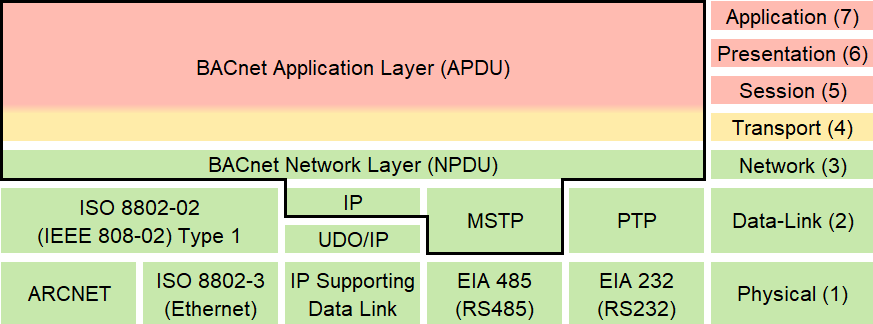
The area inside the border is provided by the CAS BACnet Stack. The surrounding application and communications components are provided by the developer.
QuickServer Gateways, aka Potocol Translator or Protocol converter
A BACnet protocol translator, also known as a protocol converter or gateway, is a specialized device or software application that facilitates communication between different devices, systems, or networks that use disparate communication protocols and integrating them into BACnet. Its primary function is to bridge the gap between incompatible protocols and BACnet, enabling interoperability and data exchange in a BACnet environments.
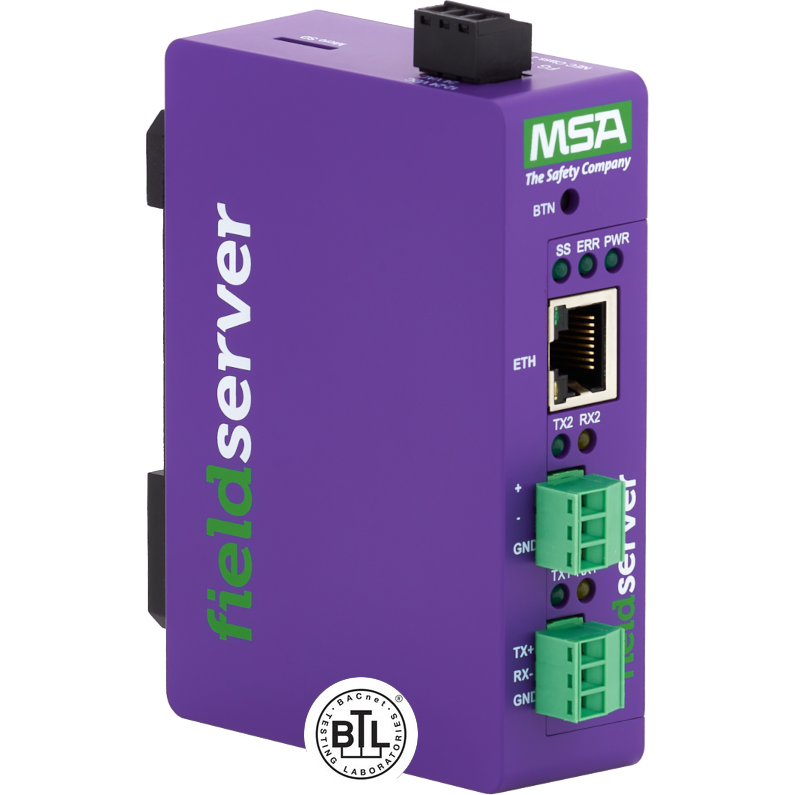
Single ethernet port QuickServer
The Single Ethernet port BACnet Translator QuickServers comes in a variety of models that integrate 140+ protocols to BACnet at different point counts. It comes as a Basic model that handles 250 points or enhanced models that handles between 500-5000 points.
Overall, a single port QuickServer offers a compact, reliable, and feature-rich solution for enabling seamless data communication in industrial automation, building management, energy management, and other similar applications.
Dual-Ethernet Port QuickServer
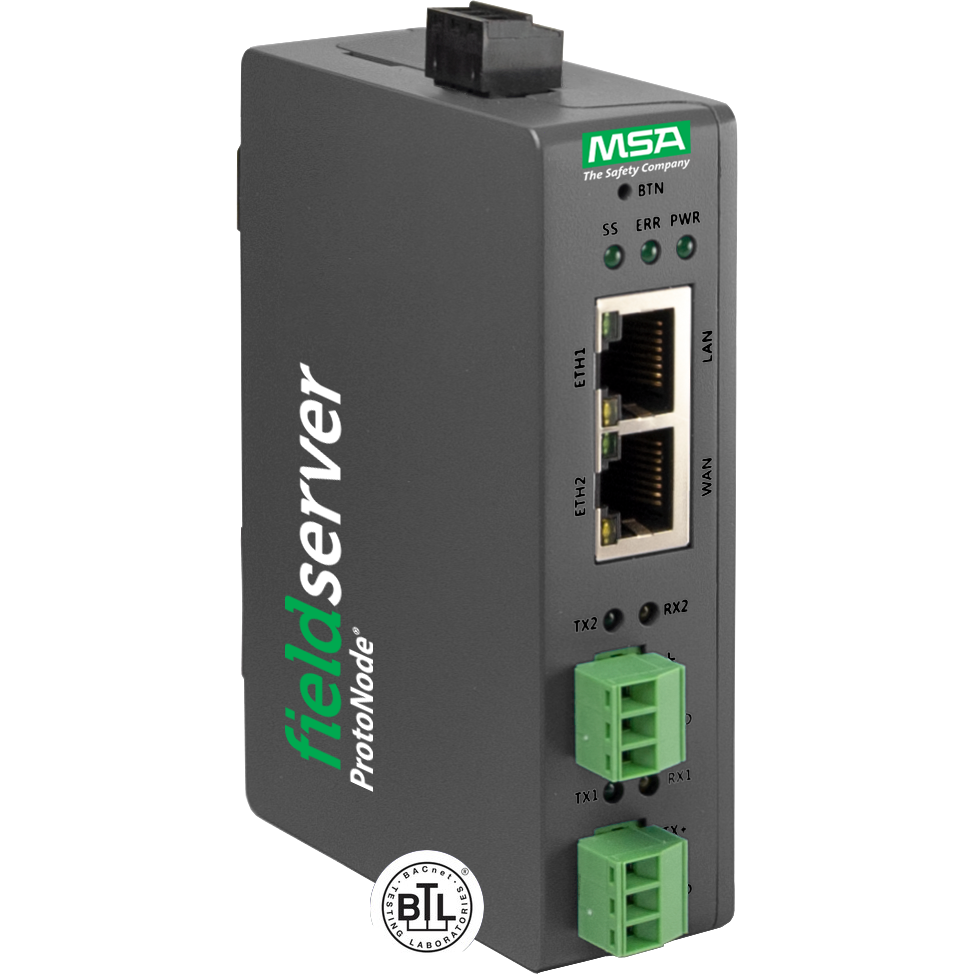
The Dual Ethernet Port QuickServer is the premium secure QuickServer for those needing the best and most secure networks. Besides being capable of handling everything that the classic QuickServer and the QuickServer can handle, it also contains 2 Ethernet ports, can convert up to 10,000 points and has a lot of new security features. It supports 1 RS-485/RS232 Port, 1 RS485 Port, and two Ethernet ports.
With two Ethernet ports, the dual-port QuickServer allows data to move seamlessly across disparate subnets allowing seamless integration with maximum security.
EZ Gateways
The BACnet EZ Gateway from FieldServer is a specialized device designed to streamline integration and communication between building automation systems (BAS) using the BACnet protocol and other devices or systems utilizing different protocols. As a dedicated BACnet gateway, it focuses on enabling interoperability and data exchange within BACnet-based environments and across diverse automation systems.
The EZ Gateway provides quick multiprotocol deployment of field protocols to enable integrators to commission the gateway with ease.
BACnet Routers
The FieldServer BACnet Router provides stand-alone routing between BACnet/IP, BACnet Ethernet and BACnet MS/TP.
It is a robust and versatile networking device designed to facilitate seamless communication and integration within BACnet-based building automation systems. As a specialized router, it focuses on efficiently routing BACnet traffic between different BACnet networks and subnets, enabling scalable and flexible system architectures. The BACnet router comes loaded with a BACnet Explorer to help with discovery and troubleshooting.
BACnet System Block Diagram
BACnet Tools
CAS BACnet Explorer
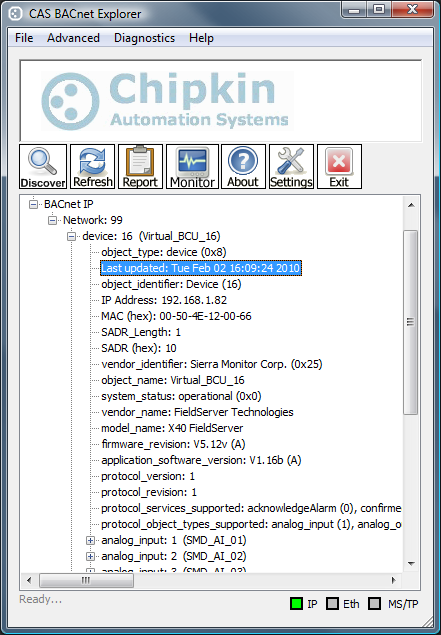
CAS BACnet Explorer is a free BACnet discovery, testing, monitoring, and troubleshooting tool for system integrators, commissioning agents, field technicians, and BACnet developers.
The Explorer supports BACnet/IP, BACnet MS/TP, and BACnet Secure Connect (BACnet/SC). It can discover BACnet devices, browse objects and properties, monitor live values, write to points, execute BACnet commands, inspect BACnet activity, capture network traffic, and generate reports.
A built-in BACnet server simulator also allows developers and technicians to test BACnet clients and workflows without requiring physical BACnet hardware. CAS BACnet Explorer is free for personal and commercial use.
Download CAS BACnet Explorer — free for personal and commercial use.
Additional BACnet Analysis Tools
Chipkin also provides specialized utilities for working with BACnet packet captures when deeper protocol analysis or message replay is required.
CAS BACnet Wireshark Storm
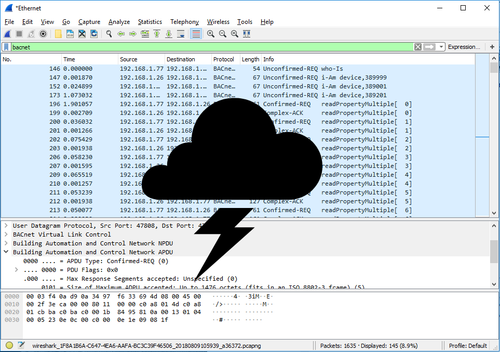
CAS BACnet Wireshark Storm can replay BACnet UDP messages captured in a Wireshark PCAP file and send them to a specified BACnet server. This is useful for reproducing problematic BACnet requests and testing how a server responds without having to recreate the original site conditions.
CAS BACnet Wireshark Report Tool
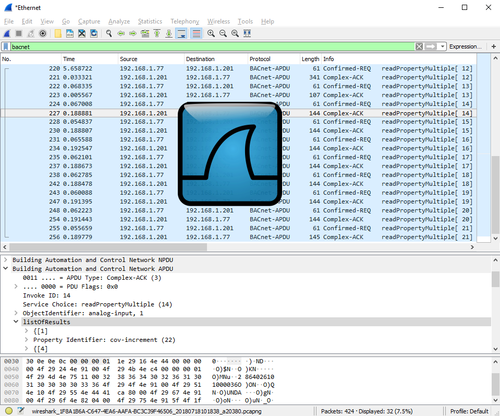
The CAS BACnet Wireshark Report Tool analyzes BACnet traffic captured in Wireshark PCAP files and produces reports containing BACnet network, device, object, property, message, and packet statistics.
It is intended for deeper analysis of BACnet captures when investigating communication problems or unusual device behavior.
FREE CAS BACNET EXPLORER WITH THE PURCHASE OF A BACNET GATEWAY!
Purchase a FieldServer or CAS Gateway from us that contains any BACnet protocol and we will help you test and document the BACnet interface by providing a free full license to the CAS BACnet Explorer and a Hardcopy of the BACnet booklet.
The USB key and booklet ships with the FieldServer.
BACnet for Field Technicians (Free!)
Learning about BACnet? Want to update your BACnet knowledge? This free EBook will guide you through basic and advanced BACnet topics.
You can purchase a hardcopy of this book from Amazon or you can download the BACnet for Field Technicians for free from our website.

BACnet Articles
BACnet Gateways (aka Protocol Converters)
BACnet IP
- BACnet to Modbus
- BACnet IP to BACnet MSTP
- BACnet IP to Ethernet IP
- BACnet IP to Modbus RTU
- BACnet IP to Modbus ASCII
- BACnet IP to Simplex 4100
- BACnet IP to Notifier 3030
- BACnet IP to Rapid Engineering ICSII
- BACnet IP to BACnet Arcnet
- BACnet IP to SNMP
- BACnet IP to GE-EGD
- BACnet IP to GE SRTP
- BACnet IP to XML
- BACnet IP to HTTP
- BACnet IP to Telnet
- BACnet IP to TL1
- BACnet IP to DF1
- BACnet IP to Data Highway Plus (DH+)
- BACnet IP to Modbus Plus (MB+)
- BACnet IP to Mircom FX2000
- BACnet IP to Profibus
- BACnet IP to DeviceNet
- BACnet IP to TAC I-Net
- BACnet IP to Omron FINS
- BACnet IP to DNP3
- BACnet IP to Allen-Bradley CSP
- BACnet IP to ControlNet
- BACnet IP to GE SNP (SNPx)
- BACnet IP to GE TLC
- BACnet IP to Kohler
- BACnet IP to Cummins
- BACnet IP to Caterpillar
- BACnet IP to Edwards
- BACnet IP to Gamewell FCI
- BACnet IP to Fike Cheetah
- BACnet IP to Silent Knight Fire
- BACnet IP to Siemens Fire Safety
- BACnet IP to ATMI ACM and TGM
- BACnet IP to Federal Signal Ultravoice
- BACnet IP to OPC
- BACnet IP to Armstrong FA403
- BACnet IP to MetOne Particle Counters
- BACnet IP to Optomux Opto22
- BACnet IP to Multistack Compu25
- BACnet IP to SIA Security Industry
- BACnet IP to KNX
- BACnet IP to M-Bus
- BACnet IP to Notifer 320/640
- BACnet IP to Notifer Legacy Panels
- BACnet IP to National Time and Signal
- BACnet IP to Barrington Microstar
- BACnet IP to Canatal
- BACnet IP to Stulz
- BACnet IP to McQuay Microtech
- BACnet IP to TOA VS900
- Mitsubishi CHC to BACnet IP
BACnet MSTP
- BACnet MSTP to Ethernet IP
- BACnet MSTP to Modbus RTU
- BACnet MSTP to Modbus ASCII
- BACnet MSTP to Simplex 4100
- BACnet MSTP to Notifier 3030
- BACnet MSTP to Rapid Engineering ICSII
- BACnet MSTP to BACnet Arcnet
- BACnet MSTP to SNMP
- BACnet MSTP to GE-EGD
- BACnet MSTP to GE SRTP
- BACnet MSTP to XML
- BACnet MSTP to HTTP
- BACnet MSTP to Telnet
- BACnet MSTP to TL1
- BACnet MSTP to DF1
- BACnet MSTP to Data Highway Plus (DH+)
- BACnet MSTP to Modbus Plus (MB+)
- BACnet MSTP to Profibus
- BACnet MSTP to Armstrong FA403
- BACnet MSTP to Stulz
- BACnet MSTP to DeviceNet
- BACnet MSTP to TAC I-Net
- BACnet MSTP to Omron FINS
- BACnet MSTP to DNP3
- BACnet MSTP to Allen-Bradley CSP
- BACnet MSTP to ControlNet
- BACnet MSTP to GE SNP (SNPx)
- BACnet MSTP to GE TLC
- BACnet MSTP to Kohler
- BACnet MSTP to Cummins
- BACnet MSTP to Caterpillar
- BACnet MSTP to Edwards
- BACnet MSTP to Gamewell FCI
- BACnet MSTP to Fike Cheetah
- BACnet MSTP to Silent Knight Fire
- BACnet MSTP to Siemens Fire Safety
- BACnet MSTP to ATMI ACM and TGM
- BACnet MSTP to TOA VS900
- BACnet MSTP to MetOne Particle Counters
- BACnet MSTP to OPC
- BACnet MSTP to Optomux Opto22
- BACnet MSTP to Multistack Compu25
- BACnet MSTP to SIA Security Industry
- BACnet MSTP to KNX
- BACnet MSTP to M-Bus
- BACnet MSTP to Notifer 320/640
- BACnet MSTP to Notifer Legacy Panels
- BACnet MSTP to National Time and Signal
- BACnet MSTP to Barrington Microstar
- BACnet MSTP to Canatal
- BACnet MSTP to McQuay Microtech
- BACnet MSTP to Federal Signal Ultravoice
- BACnet MSTP to Mircom FX2000
- Mitsubishi CHC to BACnet MSTP
BACnet Ethernet
- BACnet Ethernet to Allen-Bradley CSP
- BACnet Ethernet to ATMI ACM and TGM
- BACnet Ethernet to Armstrong FA403
- BACnet Ethernet to BACnet IP
- BACnet Ethernet to BACnet MSTP
- BACnet Ethernet to BACnet Arcnet
- BACnet Ethernet to Barrington Microstar
- BACnet Ethernet to ControlNet
- BACnet Ethernet to Cummins
- BACnet Ethernet to Caterpillar
- BACnet Ethernet to Canatal
- BACnet Ethernet to DF1
- BACnet Ethernet to Data Highway Plus (DH)
- BACnet Ethernet to DeviceNet
- BACnet Ethernet to DNP3
- BACnet Ethernet to Ethernet IP
- BACnet Ethernet to Edwards
- BACnet Ethernet to Fike Cheetah
- BACnet Ethernet to GE-EGD
- BACnet Ethernet to Multistack Compu25
- BACnet Ethernet to GE SRTP
- BACnet Ethernet to GE TLC
- BACnet Ethernet to Gamewell FCI
- BACnet Ethernet to Federal Signal Ultravoice
- BACnet Ethernet to Mircom FX2000
- BACnet Ethernet to HTTP
- BACnet Ethernet to Kohler
- BACnet Ethernet to KNX
- BACnet Ethernet to Lonworks
- BACnet Ethernet to Modbus ASCII
- BACnet Ethernet to Metasys N2
- BACnet Ethernet to Modbus TCP
- BACnet Ethernet to Modbus RTU
- BACnet Ethernet to Modbus Plus (MB)
- BACnet Ethernet to MetOne Particle Counters
- BACnet Ethernet to M-Bus
- BACnet Ethernet to McQuay Microtech
- BACnet Ethernet to Modbus TCP
- BACnet Ethernet to Notifier 3030
- BACnet Ethernet to Profibus
- BACnet Ethernet to Notifer 320/640
- BACnet Ethernet to Notifer Legacy Panels
- BACnet Ethernet to National Time and Signal
- BACnet Ethernet to Omron FINS
- BACnet Ethernet to OPC
- BACnet Ethernet to Optomux Opto22
- BACnet Ethernet to Rapid Engineering ICSII
- BACnet Ethernet to Simplex 4100
- BACnet Ethernet to Silent Knight Fire
- BACnet Ethernet to Siemens Fire Safety
- BACnet Ethernet to SIA Security Industry
- BACnet Ethernet to Stulz
- BACnet Ethernet to SNMP
- BACnet Ethernet to Telnet
- BACnet Ethernet to TL1
- BACnet Ethernet to TAC I-Net
- BACnet Ethernet to TOA VS900
- BACnet Ethernet to XML
- BACnet Ethernet to GE SNP (SNPx)
Thanks for choosing Chipkin for your building automation requirements!
Chipkinâ"¢ is a building and industrial automation protocol expert. We develop, configure, install and support gateways (protocol converters), data loggers and remote monitor and controlling applications. Founded in October 2000, Chipkin provides expert solutions for converting BACnet®, Modbus®, and LonWorks®—to name just a few—and enabling interfaces for HVAC, fire, siren, intercom, lighting, transportation and fuel systems. The high-quality products we offer (including those from other vendors) interface with Simplex, Notifier, McQuay, GE and many others—so you can rest assured that we will select the most appropriate solution for your application.
With Chipkin you are buying a solution. Our configuration expertise in this field combined with free BACnet and other tools ensure your success; and our customer support via phone, e-mail, and remote desktop tools means that we're there when you need us. Chipkin is a small responsive company, and we live or die by the quality of our service—and with offices in two-time zones—we can provide support when you need it. Give us a call now!
Customer Support
Chipkin is proud to provide support for the products we sell. For technical support, sales, and customer service, please contact us at 1 (866) 383-1657
Frequently Asked Questions
What is BACnet?
BACnet is the open standard (ASHRAE/ANSI/ISO 16484-5) for building automation—used for HVAC, lighting, access,
fire, and energy systems.
Which BACnet flavors do you support?
BACnet/IP and BACnet MS/TP are most common, and we also support BACnet Ethernet, PTP, ARCNET, and more.
Can you convert other protocols to BACnet?
Yes. Our gateways translate 200+ protocols to BACnet/IP or MS/TP with clear object models and naming.
Do you support writes and command prioritization?
Yes. Write-Property and BACnet priority handling can be enabled per point with appropriate safeguards.
How many points can I integrate?
Solutions range from a few dozen to thousands of points. We’ll size the right license and hardware for your
project.