CEI-ABI - Connection Notes
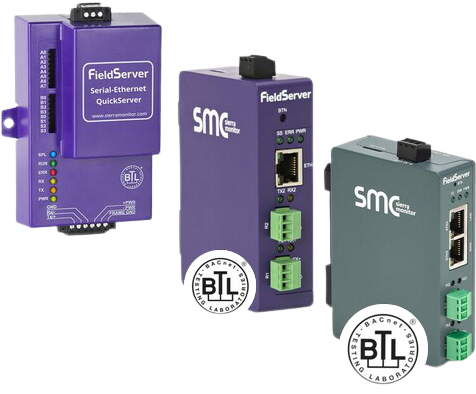
Integrating a Notifier Italia AM6000 fire alarm panel with a FieldServer gateway requires selecting the correct driver based on the physical connection point and hardware interface utilized.
The AM6000 panel supports multiple communication methods, each requiring a specific protocol driver to interpret the fire alarm data correctly. This guide ensures you deploy the right FieldServer driver for your specific hardware architecture.
Selecting the Correct Notifier AM6000 Driver
The choice of driver depends entirely on whether you are interfacing directly with the panel's printer port or utilizing a specialized communication board.
- Direct Connection to Serial Printer Port: Use driver FS-8700-52 (Notifier Italia AM6000). This driver is designed to monitor the unidirectional "printer" stream for events, alarms, and troubles.
- Connection via SIB-600 Interface: Use driver FS-8700-68 (CEI ABI). This driver is required when the FieldServer is connected to an AM6000 panel through an SIB-600 (Serial Interface Board), utilizing the CEI ABI protocol.
Installation Recommendations
To ensure a reliable data flow between the life-safety system and your Building Automation System (BAS), follow these deployment guidelines:
- Verify Baud Rates: Ensure the FieldServer serial port configuration matches the baud rate and parity settings defined in the AM6000 panel programming.
- Cable Lengths: RS-232 connections (standard for printer ports) should generally be kept under 15 meters (50 feet). For longer distances, consider a serial-to-fiber converter or a different physical interface.
- Panel Settings: If using the printer port, the AM6000 panel must be programmed to "Enable Printer Output" to ensure data is pushed to the FieldServer.
FAQ – AM6000 FieldServer Integration
1) What data can the FS-8700-52 driver provide?
The Notifier Italia AM6000 driver typically captures event messages, allowing the FieldServer to translate alarms, troubles, and point-status updates into BACnet, Modbus, or other protocols.
2) Why would I use the SIB-600 interface instead of the printer port?
The SIB-600 board (CEI ABI protocol) is often used when bi-directional communication or more structured data exchange is required compared to the raw text stream of a printer port.
3) Can I monitor multiple panels with one FieldServer?
Yes, provided the FieldServer has multiple serial ports. Each port can be assigned to a separate AM6000 panel or SIB-600 device.
Need a Notifier to BACnet or Modbus Bridge?
Chipkin provides expert-level gateways that bridge Notifier fire alarm panels to standard building protocols. Explore our integration tools below: