Lonmaker and NodeUtil - Lonworks Software
Integration Solutions
Chipkin has integration solutions for almost every situation. We specialize in network protocol communications and have over 20+ years of experience. Click for more information:
LonWorks networks are widely used in building automation and controls. When you inherit an existing LonWorks installation, the challenge is often not the physical wiring—it is understanding what devices are present, how they are addressed, and what configuration information exists for ongoing maintenance. This page summarizes two common LonWorks software utilities that are often referenced during commissioning and troubleshooting: LonMaker and NodeUtil.
The goal here is practical: help you identify which tool you may need for your situation, what each tool is typically used for, and where to download the installers that Chipkin makes available. For teams managing active sites, this can reduce time spent searching for installers and give you a clearer starting point when you need to inspect a network, validate device presence, or extract device information such as an XIF file.
LonMaker: Windows LonWorks Network Configuration and Management
LonMaker is a Windows GUI-based network and device management tool for Echelon LonWorks. It can be used for initial network setup and can also function as a management console on a completed network. In many projects, LonMaker is used alongside the project database (where available) to view and manage devices, verify configuration, and support changes over time. LonMaker is typically purchased from Echelon.
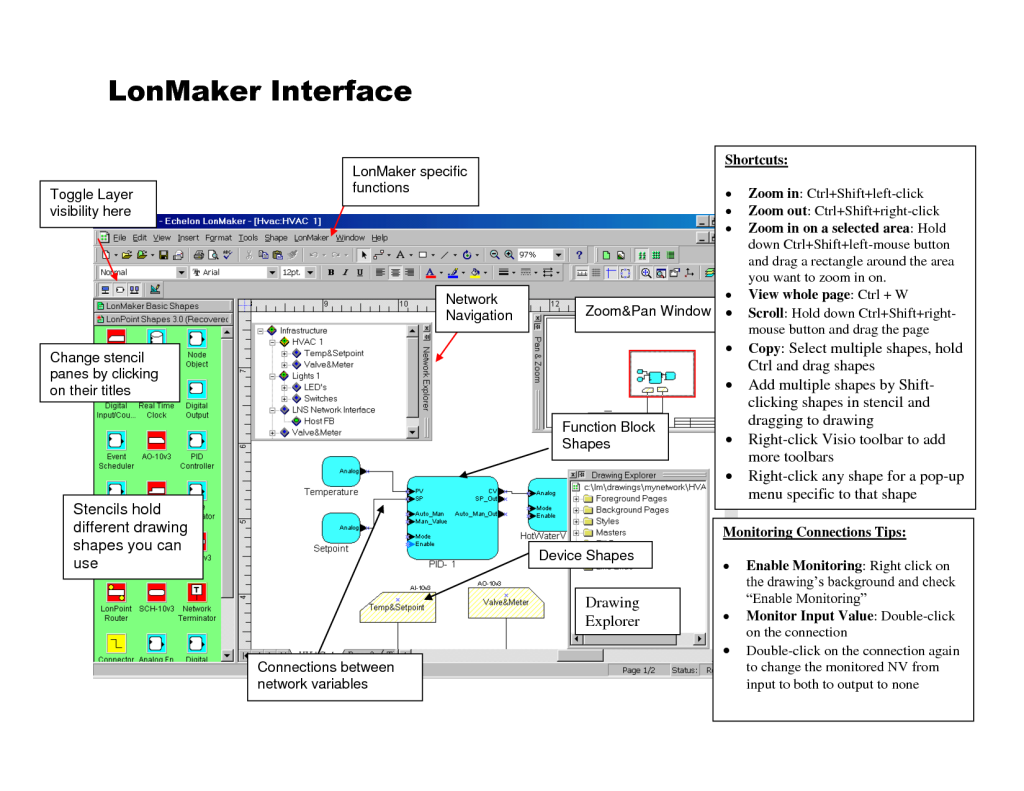
If you have the LonMaker database for a site, it can be a straightforward way to understand how the network was designed and documented. However, many integrators run into a common problem: they are asked to support a LonWorks network but are not provided the original database, or they do not have LonMaker available. That is where a lightweight utility such as NodeUtil can be helpful as a starting point.
NodeUtil
What happens if you need to learn about a LonWorks network and its devices but have not been provided with the database or if you do not have LonMaker? NodeUtil is a LonWorks utility that can be used to explore LonWorks networks and devices without having LonMaker. All you need is a device such as an Echelon U10/U20 USB Network Interface.
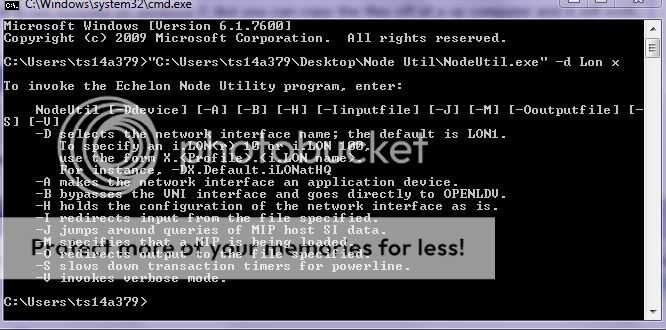
Using NodeUtil you can discover devices, and learn about the Domains, SubNets, and NodeID’s. You can also upload the XIF file from specific nodes. These capabilities are often used during initial assessment when documentation is incomplete, or when you need to confirm basic network structure before deciding on next steps for integration, replacement, or long-term support.
Downloads
Download NodeUtil:
Another useful utility is XIFDUMP. It is a report generator (DOS), and it allows you to generate reports (text file) from XIF files. XIFDUMP is typically used when you want a readable summary output derived from a device XIF, especially when you need to share information internally, attach it to a support case, or compare device definitions across nodes.
Download XIFDUMP: XIFDUMP
FAQ: LonMaker, NodeUtil, and LonWorks Tools
When would I use LonMaker?
Use LonMaker when you need a Windows GUI-based management tool for LonWorks, especially for initial setup or for
ongoing management of an existing network where the project database and standard workflow are available.
When would I use NodeUtil instead of LonMaker?
NodeUtil is often used when you do not have LonMaker available or you were not provided the LonWorks database.
It can help you explore the network and learn basic addressing and structure information directly from devices.
Do I need special hardware to use NodeUtil?
NodeUtil requires a LonWorks network interface, such as an Echelon U10/U20 USB Network Interface, to communicate
with the LonWorks network.
What information can NodeUtil help me collect?
NodeUtil can be used to discover devices and learn about Domains, SubNets, and NodeID’s. It can also upload the
XIF file from specific nodes, which can be useful when documentation is missing.
What is XIFDUMP used for?
XIFDUMP is a report generator that creates text-based reports from XIF files. It is often used to turn an XIF into
a readable summary that can be shared, archived, or compared during troubleshooting.
I need installers or tools that are not listed here—what should I do?
If you need additional LonWorks tools or guidance on how to proceed with a LonWorks integration, contact Chipkin.
We can help you identify appropriate tooling and integration approaches based on your system and goals.