The BEST Eniscope to Modbus gateway is a protocol converter for the BEST Eniscope
Power Meter system. The gateway operates by receiving data from the Eniscope system and storing
the parse values internally. These values can then be read using Modbus RTU or TCP.
CAS Hardware 700
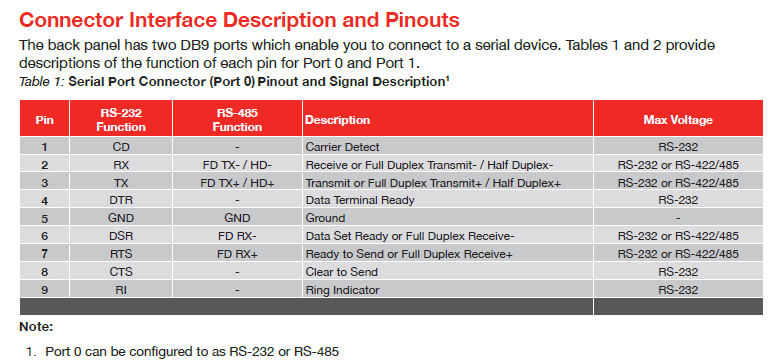
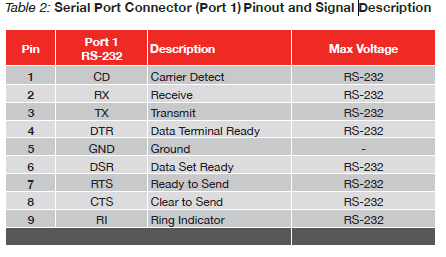
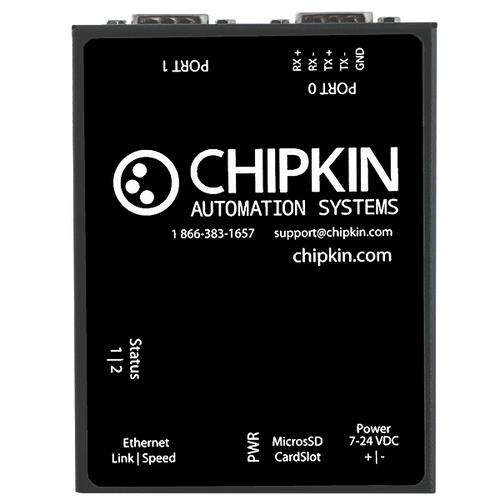
The CAS 700 Hardware device contains 2x 9-pin serial ports (1x RS485 and 1xRS232), and one Ethernet port. The device also contains a microSD card where system files, assets, configurations, and logs are stored.
The device has the following system drivers that can be enabled:
- HTTP REST Server - a passive web server with an API that users can interact with the device to get or set values
- HTTP Push Driver - a driver that can be configured to push data in a specific format (JSON, XML, CSV) to a 3rd party web server. Current data formats are Chipkin's default JSON payload and VeederRoot Tank data as JSON. Please contact Chipkin for information on adding additional formats.
BEST Eniscope Driver
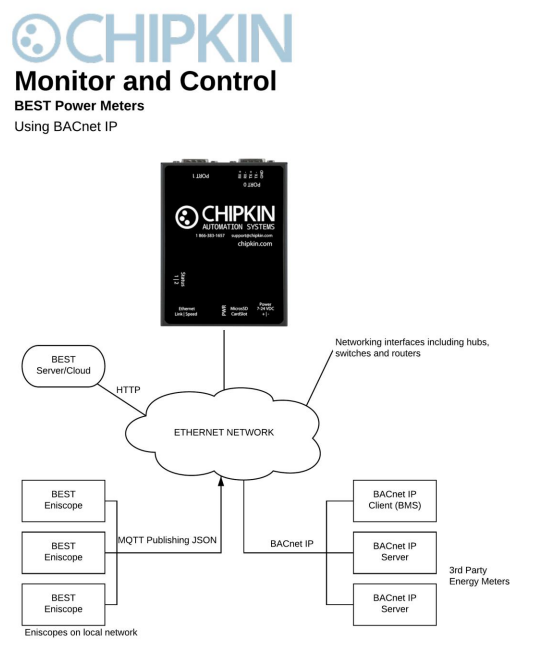
The BEST Eniscope Driver allows the CAS Gateway to operate by receiving data from the Eniscope system and storing the parse values internally. These values can then be read using BACnet®, Modbus, via the web page, and other protocols. The gateway also allows users to read data from other BACnet Power Meters and serve the data using HTTP POSTs to a BEST Cloud Server for further analysis.
Modbus RTU Driver
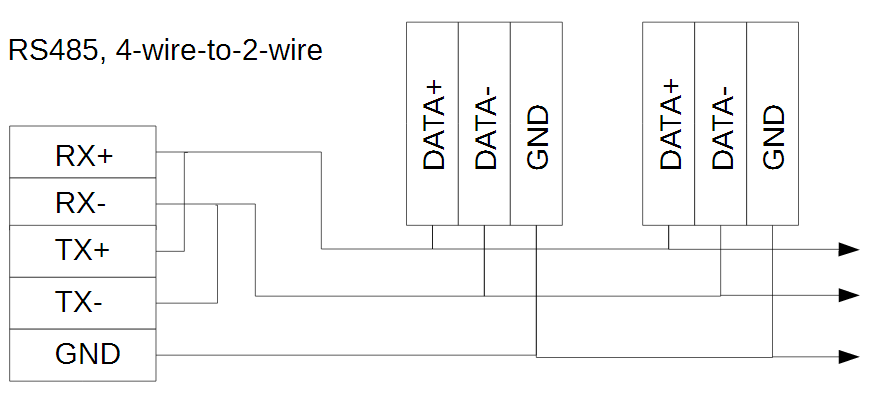
The CAS Modbus RTU driver allows the CAS Gateway to transfer data to and from devices via a serial RS485 connection using the Modbus protocol. The CAS Gateway can either be a Client, reading and controlling values from a slave, or a Server, serving data to a Modbus Master.
The CAS Modbus RTU Driver supports the following Modbus Functions:
| - 01 (0x01) Read Coils | - 05 (0x05) Write Single Coil |
| - 02 (0x02) Read Discrete Inputs | - 06 (0x06) Write Single Register |
| - 03 (0x03) Read Holding Registers | - 15 (0x0F) Write Multiple Coils |
| - 04 (0x04) Read Input Registers | - 16 (0x10) Write Multiple Registers |
Modbus TCP Driver
The CAS Modbus TCP driver allows the CAS Gateway to transfer data to and from devices over Ethernet TCP/IP using the Modbus protocol. The CAS Gateway can either be a Client, reading and controlling values from a slave, or a Server, serving data to a Modbus Master.
The CAS Modbus TCP Driver supports the following Modbus Functions:
| - 01 (0x01) Read Coils | - 05 (0x05) Write Single Coil |
| - 02 (0x02) Read Discrete Inputs | - 06 (0x06) Write Single Register |
| - 03 (0x03) Read Holding Registers | - 15 (0x0F) Write Multiple Coils |
| - 04 (0x04) Read Input Registers | - 16 (0x10) Write Multiple Registers |
Specifications
The following specifications are common to all Chipkin gateways.
- Certifications: UL and ULc approved
- Ports:
- 10/100BASE-T with RJ-45 connector
- 1x RS232 port
- 1x RS485 port (different models have additional ports)
- Power: 7 - 24 VDC through an external power supply. (12V @ 90mA)
- Operating temperature: 0 - 70 °C (32 - 158 °F)
- LEDs: link, speed/data, power
Dimensions
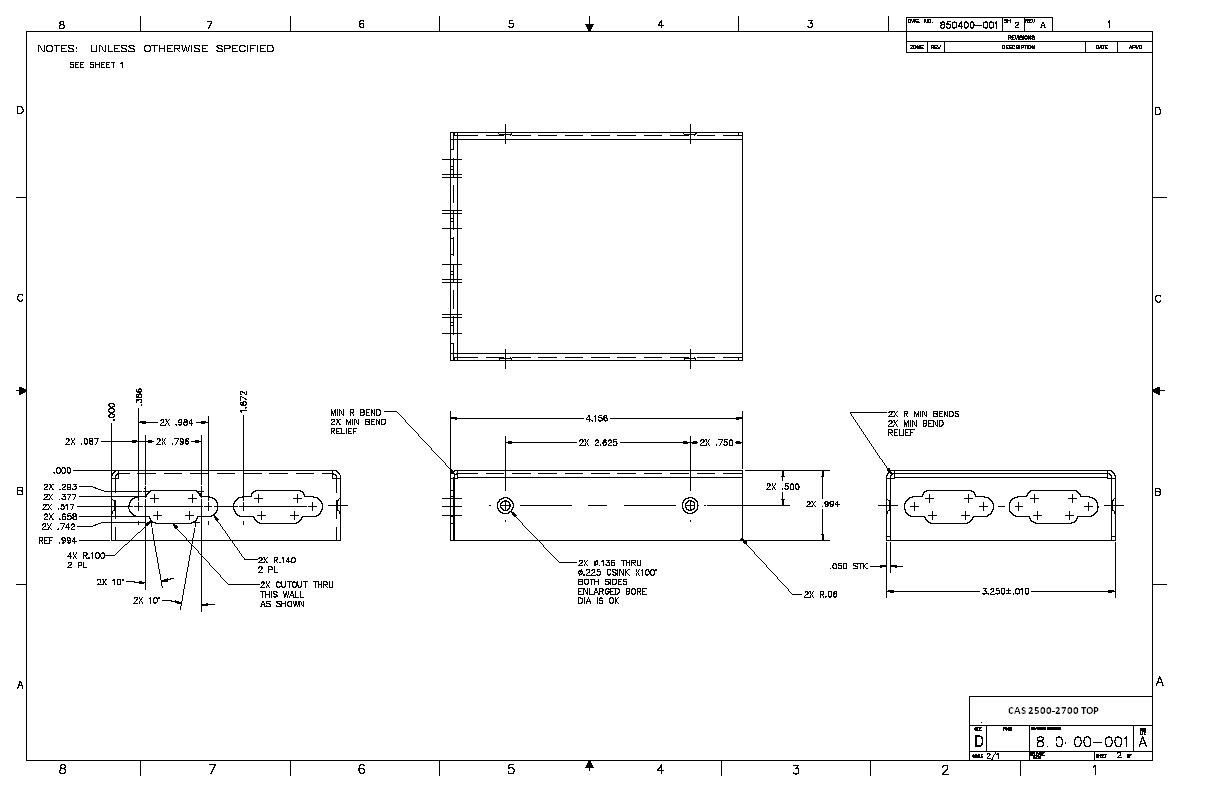
- Dimensions (LxWxH): 107 x 83 x 25 mm (4.2 x 3.25 x 1 in.)
- Connection type: RS485 (jumper change to RS232)
Top
Bottom
Datasheets
Tools
Resources
A quick start guide with instructions for some of the basic operations of the CAS Gateway product line. Includes instructions for the following:
- Detecting the CAS Gateway via the computer and settings its IP Address
- Downloading the Firmware to the CAS Gateway
- Downloading the Assets to the CAS Gateway
- Downloading the Configuration to the CAS Gateway