Chipkin BACnet SC Certificate Authority
BACnet Secure Connect certificate software
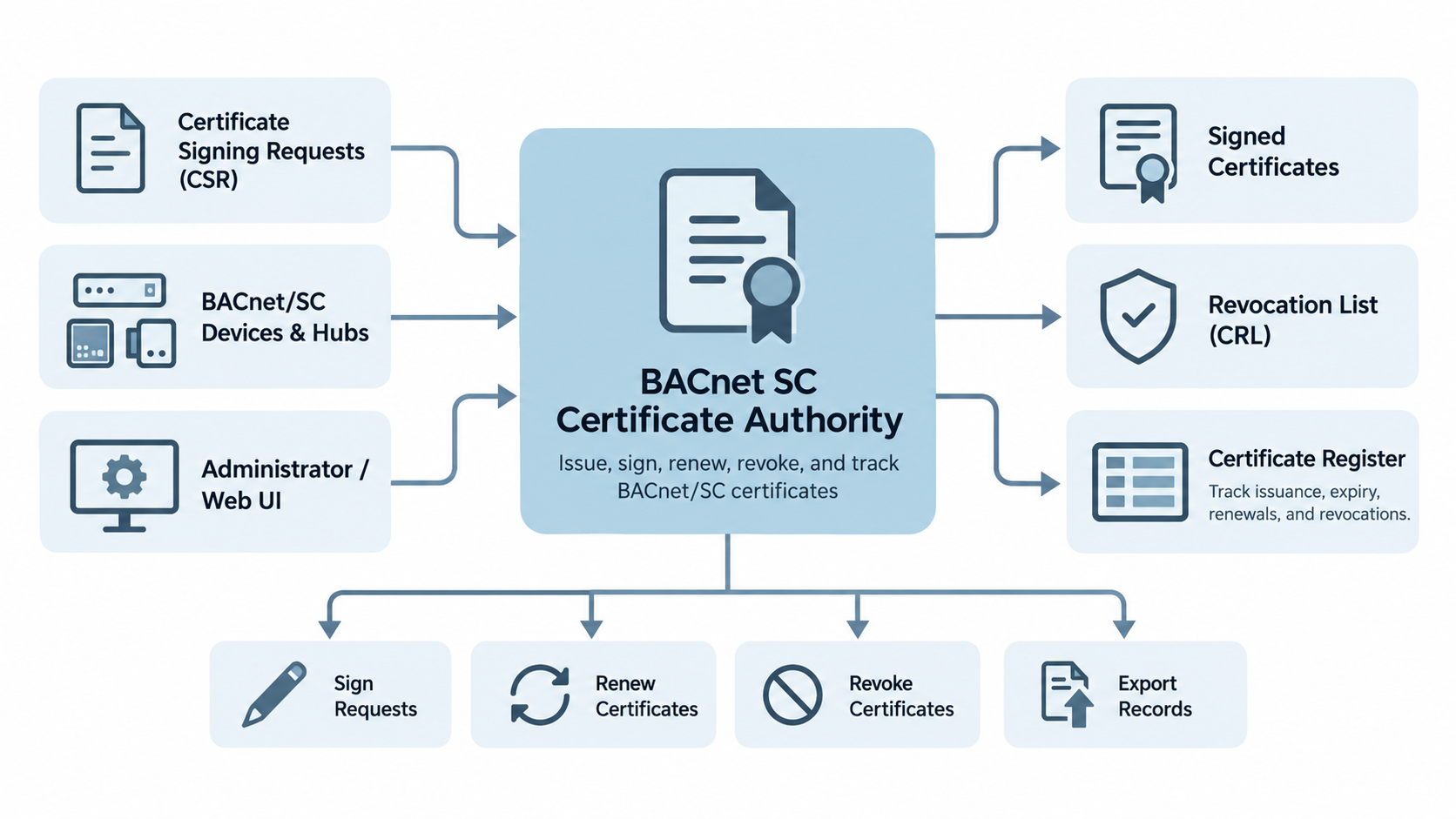
The Chipkin BACnet SC Certificate Authority makes the certificates that let BACnet Secure Connect (BACnet/SC) devices and hubs trust each other. It is a desktop application for Windows and Linux, and it works offline.
- CARI file format
- Works offline
- Signed revocation lists
- Windows 11 and Linux x64
Part number CAS-1000-22
Why does a BACnet/SC site need a certificate authority?
BACnet/SC connects every device to a hub over an encrypted connection, and both sides prove who they are with a certificate. A hub accepts a device, and a device accepts the hub, when the same certificate authority (CA) signed both certificates.
You create one CA for your site, then use it to sign the certificate of each hub and each device. Requests come to the CA and certificates go back as files, so the CA works without a network connection.
Those files use the Certificate Authority Requirements Interchange (CARI) format of ANSI/ASHRAE Standard 135-2024, which BACnet/SC products share.
Developers building BACnet/SC support into their own devices and software can use the CAS BACnet Stack to add BACnet Secure Connect functionality to their products.
What you need for a BACnet/SC site
A BACnet/SC site needs three things: a hub that every device connects to, a certificate authority that signs the certificates, and a certificate on each device. Chipkin supplies the first two.
1. A hub
Every BACnet/SC device connects to it, and it passes messages
between them.
Chipkin BACnet SC Hub
(CAS-1000-21).
2. A certificate authority
It signs the certificate of each hub and each device, on a
computer that needs no network connection.
Chipkin BACnet SC Certificate Authority
(CAS-1000-22), this product.
3. A certificate on each device
Each device presents its own certificate when it connects. The Certificate Authority signs the device's request, or makes the key and the certificate for it.
Features
One CA for your whole site
Create a site CA and save it as a single file protected by your password, with a guided backup step.
Sign CARI requests from hubs and devices
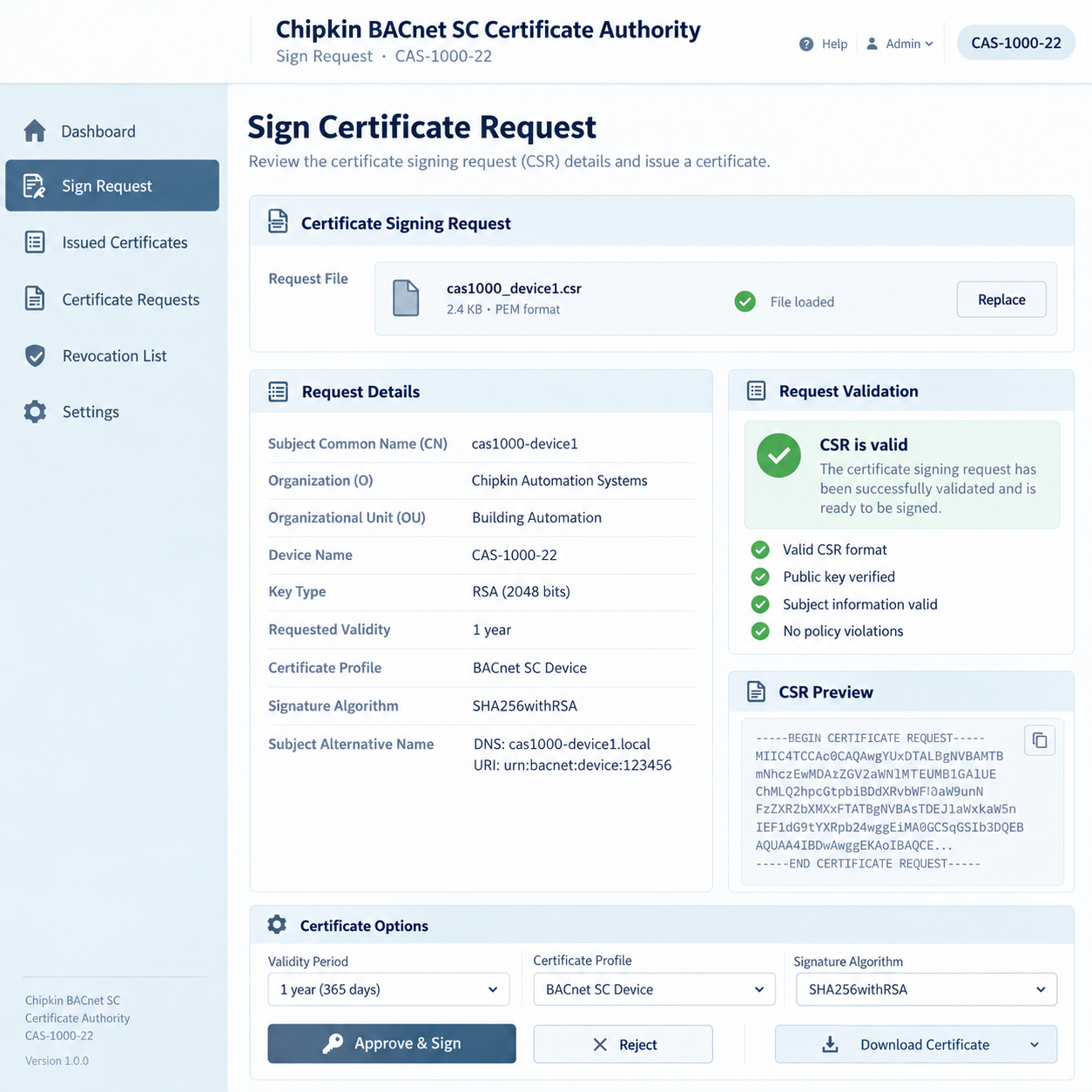
Sign CARI requests from the Chipkin BACnet SC Hub or a device vendor's tool, or a single certificate signing request (CSR). Each request is checked and listed, with any problem found, before you sign it.
Device keys and certificates made for you
For a device without its own request tool, the application makes
the key and the certificate, with an optional .pfx
file for Windows tools.
A register of every certificate
The register lists every certificate the CA has issued, marks certificates within 60 days of expiry, and exports to a spreadsheet.
Revoke and renew
Revoke a certificate and publish a signed revocation list for your hubs. Renew a certificate from the request kept in the CA file.
Keys and certificates stay on your computer
Keys, certificates, and the register are saved only in the files you choose. The application works offline.
How do I use the certificate authority?
- Download and install the application, then create the site CA and choose a password for the CA file.
- Save the CA file and a backup copy.
- Sign the hub's request, for example from the Chipkin BACnet SC Hub , and install the response on the hub.
- Sign each device's request, or make the device's key and certificate in the application.
- Save the CA file again, so the register is up to date.
- When a device is lost or retired, revoke its certificate and give every hub the new revocation list.
Download
Each link gives the current version of the Chipkin BACnet SC Certificate Authority. For licensing, please contact us .
| Windows 11 or later (x64) |
Installer (.exe)
|
Download the Chipkin BACnet SC Certificate Authority for Windows |
|---|---|---|
| Linux x64 | AppImage | Download the Chipkin BACnet SC Certificate Authority for Linux |
System requirements
| Operating system | Windows 11 or later (x64), or Linux x64 (AppImage, or a Debian or Ubuntu package) |
|---|---|
| Network | None required. An internet connection is used only for the optional update check, an update you choose to download, and feedback you choose to send. |
| Storage | A safe place for the CA file and a backup copy, and a password manager for its password |
Specifications
| File format | CARI request and response zips (ANSI/ASHRAE Standard 135-2024, Annex AA.2) |
|---|---|
| Accepts |
CARI request zips; single CSRs
(.csr, .pem, .der,
.req, .p10)
|
| Produces |
CARI response zips; device key and certificate zips;
.pfx and .cer files for Windows tools;
the revocation list (issuer-crl.pem); the register
as a comma-separated values (CSV) file
|
| CA key algorithms | ECDSA P-256 (default), ECDSA P-384, RSA 3072 |
| Validity | CA: 10 years, 20 years, or no expiry. Device certificates: 825 days by default. |
| Revocation list | Valid for 7, 30, or 90 days |
| Works with |
Chipkin BACnet SC Hub
(CAS-1000-21), Chipkin BACnet Explorer, and
CARI-compatible devices and tools
|
| Part number |
CAS-1000-22
|
Sales and customer service
Chipkin is proud to provide support for our products. For technical support, sales, and customer service, please contact us .
- Toll free
- +1 866 383 1657
- [email protected] , [email protected]
- Website
- www.chipkin.com
BACnet® is a registered trademark of ASHRAE.