In depth guide of Devicenet Connectors
General Connectors Overview
This article focuses on DeviceNet connectors used in industrial automation networks. If you are browsing connector types, you can also review the related overviews below.
What is DeviceNet?
DeviceNet is an industrial network protocol commonly used to connect sensors, actuators, motor starters, I/O blocks, and other control devices for data exchange. In practical terms, a DeviceNet installation depends on reliable cabling and proper connectors to keep communication stable and to distribute power where applicable.
DeviceNet connectors serve as the endpoints (and sometimes the intermediate connection points) for DeviceNet network cables. The right connector choice affects installation speed, environmental sealing, serviceability, and long-term reliability—especially in plants where vibration, moisture, washdowns, and frequent maintenance are realities.
DeviceNet Connector Families
DeviceNet connectors are typically grouped into two broad categories: sealed styles designed for harsher environments, and open styles designed for panels, enclosures, and controlled environments.
Within these categories, you will commonly see “mini-style” and “micro-style” variants, each intended for specific cable types and current requirements. The table below summarizes the most common connector types you will encounter.
DeviceNet Connector Types and Examples
Use this reference table to identify typical connector types and where they are most often used in the field.
|
DeviceNet Connectors |
||
|
Connector Type |
Description |
Image |
|
Sealed |
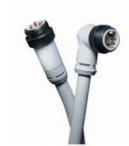
Mini-style: Attaches to taps and thick, thin, and mid cable |
|
|
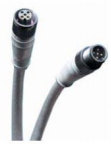
Micro-style: Attaches to thin cable only - has a reduced current rating |
|
|
|
Open |
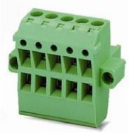
Plug-in: Cable wires attach to a removable connector. |
|
|
Fixed: Cable wires attach directly to non-removable screw terminals (or equivalent) on device. |
(Image not provided) |
|
How to Choose the Right DeviceNet Connector
When selecting DeviceNet connectors, start with the environment and service requirements:
- Environment: Use sealed connectors where moisture, dust, vibration, oils, or washdowns are expected.
- Serviceability: Plug-in styles can simplify maintenance and device replacement in panels and enclosures.
- Cable compatibility: Confirm whether your installation uses thick, thin, or mid cable and choose the connector style that matches.
- Current considerations: Micro-style sealed connectors often have reduced current capacity compared to mini-style.
In the field, many intermittent network issues that “look like protocol problems” are ultimately traced back to cabling, shielding/grounding practices, damaged connectors, or incorrect installation practices. Selecting the correct connector style—and installing it correctly—can prevent hours of troubleshooting later.
Frequently Asked Questions (FAQ)
What is the difference between sealed and open DeviceNet connectors?
Sealed connectors are designed for harsher environments and provide better protection against moisture and contaminants. Open connectors are typically used inside panels or controlled environments where sealing is not required.
What is the difference between mini-style and micro-style sealed connectors?
Mini-style sealed connectors are commonly used with thick, thin, and mid cable and are widely used with taps. Micro-style sealed connectors are typically limited to thin cable and may have reduced current ratings.
Why does connector choice matter for DeviceNet troubleshooting?
Loose terminations, damaged seals, incorrect cable compatibility, or improper installation can cause intermittent faults, communication errors, and hard-to-diagnose issues that may be mistaken for device or protocol problems.