DVI Digital Visual Interface
General Connectors Overview
This page provides an overview of the DVI (Digital Visual Interface) connector family. DVI was created to standardize digital video connectivity between computers and displays, and it remains common in legacy workstations, KVMs, industrial PCs, and older projectors and monitors.
DVI is frequently encountered in long-lifecycle environments where equipment stays in service for many years. In many cases, DVI is found alongside (or being adapted to) HDMI and DisplayPort.
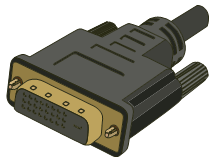
What is DVI?
Digital Visual Interface (DVI) is a display interface developed by the Digital Display Working Group (DDWG) to transmit video from a source (PC, industrial workstation, KVM, media device) to a display (monitor, projector, panel PC).
One reason DVI lasted so long is that it bridged older and newer worlds: depending on the connector type, DVI can carry digital video and, in some cases, analog signals as well. This makes it a common “in-between” connector when equipment is being modernized over time.
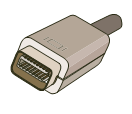
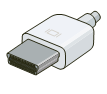
The table below compares common DVI variants, including Mini-DVI and Micro-DVI connectors used on certain laptop models.
|
DVI |
|||
|
Name |
DVI (24-Pin) |
Mini-DVI (32-Pin) |
Micro-DVI (34-Pin) |
|
Info |
Function |
||
|
Video & Data – Analog & Digital |
|||
|
Supported Resolutions |
|||
|
1280 x 800Wide XGA |
|||
|
Common Uses |
|||
|
Many computers and monitors |
12" Aluminum PowerBook G4 (late 2003 - 2006) |
MacBook Air (early 2008) |
|
|
Male |
|
|
|
|
Female |
|
|
|



Practical Considerations
DVI cables and adapters are usually reliable, but compatibility issues can occur depending on the DVI variant and what your display expects. In practice, people run into trouble when mixing analog-only and digital-only equipment via passive adapters.
If you are modernizing a system, note that DVI does not carry audio. If you convert DVI to HDMI, you may still need a separate audio connection unless you are using an active converter that injects audio (which is a specialized case).
For longer cable runs, consider signal integrity and the environment. Industrial settings may require better shielding and strain relief to avoid intermittent issues.
Frequently Asked Questions
Is DVI analog or digital?
DVI is primarily a digital interface, but some DVI connector types can also carry analog signals. Whether analog is available depends on the specific DVI variant and the source hardware.
Does DVI support audio?
No. DVI carries video only. Audio must be carried separately.
Can I use a DVI-to-HDMI adapter?
Often yes for video, because HDMI and DVI share compatible digital video signaling in many cases. However, DVI-to-HDMI typically does not provide audio.
Why were Mini-DVI and Micro-DVI created?
These smaller connectors were used on certain laptops to save space, while still supporting external display connectivity via adapters.