Apple Dock Connector
General Connectors Overview
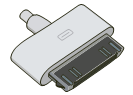
The Evolution of the Apple 30-Pin Dock Connector
The Apple Dock Connector, commonly referred to as the 30-pin connector, served as the primary interface for Apple's mobile device ecosystem for nearly a decade. Introduced with the third-generation iPod in 2003, it replaced the previous FireWire-only interface with a multi-functional port capable of carrying high-speed data, charging current, and varied analog/digital signals.
The engineering goal of the 30-pin design was consolidation. Before its introduction, portable devices often required separate ports for charging, data syncing, and video output. By utilizing 30 distinct pins, Apple created a proprietary bus that allowed a single cable to connect a device to a PC via USB or FireWire, output line-level audio to a stereo, and even transmit composite or component video to a television.
Pinout Architecture and Signaling
The complexity of the 30-pin connector is found in its versatile pin assignment. Unlike modern digital-only connectors like USB-C, the 30-pin interface was a hybrid of analog and digital signals:
- Pins 1 & 2: Ground connections.
- Pins 3 & 4: Right and Left Audio Line Out (Analog).
- Pins 12 & 13: Video Out (Composite/S-Video/Component depending on accessory negotiation).
- Pins 18, 19, 20: Power (3.3V and 5V DC for charging and powering accessories).
- Pins 25 & 27: USB Data (-/+) for standard PC synchronization.
- Pin 21 (Accessory Indicator): A critical pin that used specific resistance values to tell the Apple device which type of accessory was connected (e.g., a car kit vs. a simple charging cable).
Industrial and Embedded Integration
In professional and industrial environments, the Apple 30-pin connector was frequently integrated into specialized kiosks, hospital medical carts, and aviation control systems. Because it provided a reliable "locked" physical connection (early versions included mechanical latches), it was often preferred over the more fragile Micro-USB standards of the era.
Maintenance and Modern Challenges: For engineers maintaining legacy systems, the 30-pin connector presents several modern challenges:
- Component Degradation: The wide physical profile of the 30-pin port is susceptible to dust ingress and pin bending, which can lead to intermittent charging or data sync failures.
- Active vs. Passive Adapters: When adapting 30-pin systems to modern Lightning or USB-C hardware, "passive" physical adapters often fail to pass analog audio signals, requiring specialized "active" digital-to-analog converters (DACs).
- MFi Authentication: Apple’s "Made for iPod/iPhone" (MFi) program introduced authentication chips in later versions of the connector, meaning non-certified cables often result in "Accessory Not Supported" errors in industrial control interfaces.
Technical Specifications Summary
|
Apple Dock Connector (30-Pin) |
|
| Max Data Rate | 480 Mb/s (USB 2.0 High Speed) |
| Signal Support | Analog Audio, Digital Data (USB/FireWire), Video (Composite/Component/S-Video) |
| Compatibility | iPod (3G-Classic), iPod Mini, iPod Nano, iPod Touch (1G-4G), iPhone (Original-4S), iPad (1-3) |
| Male End |
|
| Female Port |

|
Frequently Asked Questions
1) Can I still use 30-pin accessories with modern iPhones?
Yes, but you require an official Apple 30-pin to Lightning adapter. Third-party versions often lack the circuitry required for analog audio output or video transmission.
2) Why did Apple move away from the 30-pin connector?
The connector was replaced by Lightning in 2012 primarily to save internal space in thinner devices. The Lightning connector is also reversible and entirely digital, which reduced manufacturing complexity.
3) Can the 30-pin connector support FireWire?
Originally, yes. Early iPods used the 30-pin port for both FireWire charging and data. Later devices (post-2008) dropped support for FireWire data, and eventually FireWire charging, focusing exclusively on USB standards.